MOTOSHARE 🚗🏍️
Turning Idle Vehicles into Shared Rides & Earnings

From Idle to Income. From Parked to Purpose.
Earn by Sharing, Ride by Renting.
Where Owners Earn, Riders Move.
Owners Earn. Riders Move. Motoshare Connects.

With Motoshare, every parked vehicle finds a purpose. Owners earn. Renters ride.
🚀 Everyone wins.

Start Your Journey with Motoshare

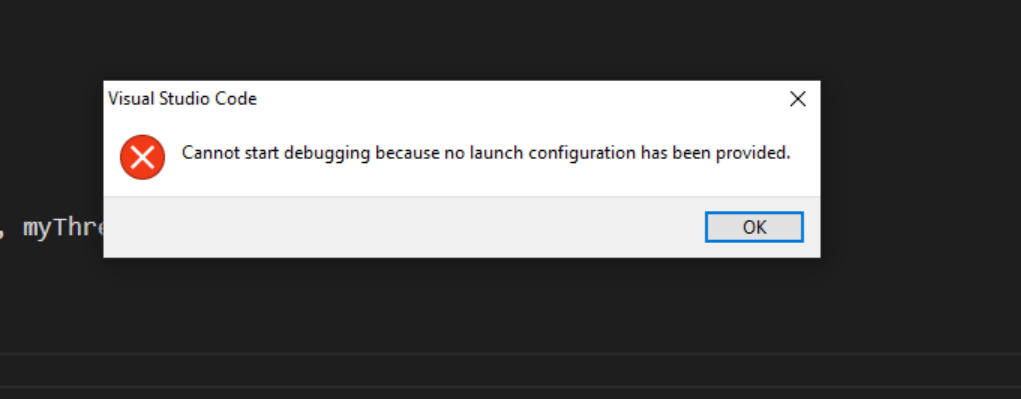
no launch configuration has been provided

The error message you’re encountering in VS Code indicates that there is no launch configuration set up for your Flutter project. Launch configurations define how your app should be launched and debugged.

To resolve this issue, you can follow these steps to set up a launch configuration in VS Code:

Open your Flutter project in VS Code.

Go to the Run view by clicking on the bug icon in the left sidebar or by using the shortcut Ctrl+Shift+D (Windows/Linux) or Cmd+Shift+D (Mac).

At the top of the Run view, you should see a drop-down menu with a gear icon labeled “No Configurations.” Click on it and select “Add Configuration” from the dropdown menu.

VS Code will open a list of available debug configurations. Choose the “Dart & Flutter” option.

If you have a launch.json file, VS Code will automatically detect it and suggest using it. Otherwise, it will generate a default launch.json configuration for you.

Save the launch.json file.

Once you’ve set up the launch configuration, you should be able to start debugging your Flutter app in VS Code without encountering the “no launch configuration” error.

Related Posts

How a Robust Packaging System Simplifies Software Deployment

Have you ever spent hours trying to install software on multiple computers, only to run into different errors on each one? Or perhaps you’ve been in a…

Mastering Modern Operating Systems for IT Professionals

If you work in technology, you already know that operating systems form the foundation of everything we do. Whether you’re managing servers, deploying applications, securing networks, or…

Master Deployment Automation with Octopus Deploy

If you’ve ever felt the stress of manual deployments, the fear of production failures, or the frustration of inconsistent release processes, you’re not alone. In today’s fast-paced…

Mastering NuGet for Modern .NET Development

If you work with .NET development, you’ve likely experienced the frustration of managing multiple libraries, dealing with version conflicts, and ensuring your team uses consistent dependencies. These…

Master Nexus Repository Manager for Development Teams

If you’re building, deploying, or maintaining software today, you know the chaos of dependency management all too well. The constant downloading of libraries, the mysterious “works on…

Master Nexus Repository Management for Pune Tech Teams

If you’re working in Pune’s vibrant tech industry, you know how fast things move. Whether you’re in the bustling IT parks of Hinjawadi, the growing tech hubs…

0 0 votes
Article Rating
Subscribe
Notify of
guest
0 Comments
Oldest
Newest Most Voted
Inline Feedbacks
View all comments
0
Would love your thoughts, please comment.x
()
x