MOTOSHARE 🚗🏍️
Turning Idle Vehicles into Shared Rides & Earnings

From Idle to Income. From Parked to Purpose.
Earn by Sharing, Ride by Renting.
Where Owners Earn, Riders Move.
Owners Earn. Riders Move. Motoshare Connects.

With Motoshare, every parked vehicle finds a purpose. Owners earn. Renters ride.
🚀 Everyone wins.

Start Your Journey with Motoshare

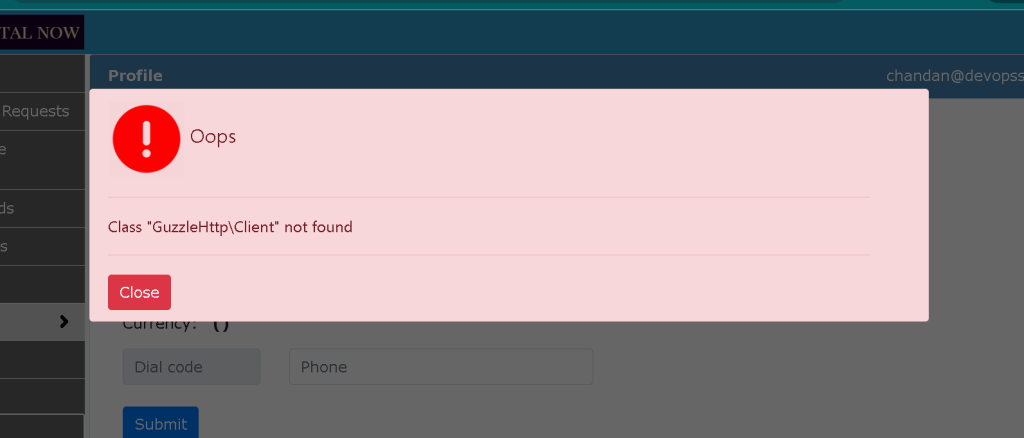
Error in Laravel: Class ‘GuzzleHttp\Client’ not Found

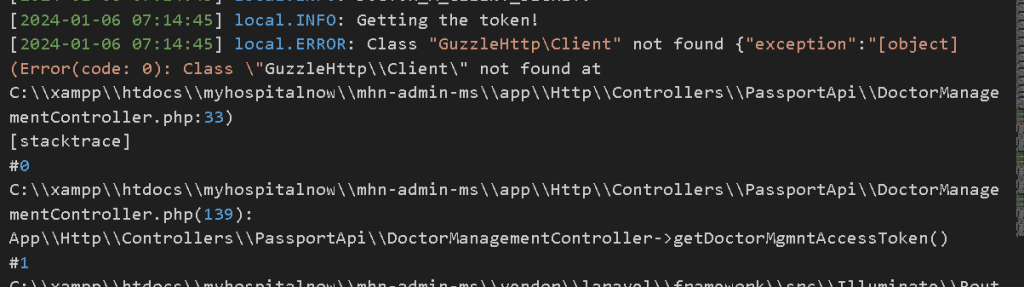
My Laravel.log view

Laravel, being a versatile framework, relies on various libraries for smooth operation. The “Class ‘GuzzleHttp\Client’ not found” error can occur when Laravel attempts to use Guzzle, a popular HTTP client.

The error indicates that Laravel is unable to find the GuzzleHttp\Client class, which is typically caused by Guzzle not being included in the project.

The Solution:

Step 1: Update Composer Dependencies

Before Change:

"require": {
    "php": "^8.1",
    "laravel/framework": "^10.10",
    "laravel/helpers": "^1.7",
    "laravel/passport": "*",
    "laravel/tinker": "^2.8",
    "laravel/ui": "^4.2",
    "lcobucci/jwt": "4.0",
    "paragonie/random_compat": "^9.99.1"
},

After Change:

"require": {
    "php": "^8.1",
    "guzzlehttp/guzzle": "^7.8",
    "laravel/framework": "^10.10",
    "laravel/helpers": "^1.7",
    "laravel/passport": "*",
    "laravel/tinker": "^2.8",
    "laravel/ui": "^4.2",
    "lcobucci/jwt": "4.0",
    "paragonie/random_compat": "^9.99.1"
},

Run Composer Install

After modifying the composer.json file, open your terminal and navigate to your Laravel project’s root directory. Run the following command:

composer install

This command will fetch and install the Guzzle library and any other dependencies specified in the composer.json file.

Related Posts

Become a DevOps Engineer in Mumbai with Real Projects

Introduction: Problem, Context & Outcome Engineers across Mumbai work in fast-paced delivery environments where releases happen frequently, systems scale continuously, and downtime costs money. However, many professionals…

DevOps Expertise for CI/CD, Cloud, and Automation—Malaysia

Introduction: Problem, Context & Outcome Engineering teams across modern organizations adopt DevOps to accelerate releases and improve system reliability. However, many teams still experience deployment failures, slow…

DevOps Expertise for CI/CD, Cloud, and Automation—Kolkata

Introduction: Problem, Context & Outcome Many engineering teams invest in DevOps tools expecting faster releases and improved stability. However, deployments still fail, recovery remains slow, and coordination…

DevOps Expertise for CI/CD, Cloud, and Automation—Hyderabad.

Introduction: Problem, Context & Outcome Many engineering teams adopt DevOps tools expecting faster delivery and higher stability. However, releases still fail, recovery takes too long, and teams…

DevOps Expertise for CI/CD, Cloud, and Automation—Delhi.

Introduction: Problem, Context & Outcome Many engineering teams adopt DevOps tools expecting faster releases, yet they still face unstable deployments, frequent rollbacks, and unclear accountability. Although automation…

DevOps Expertise for CI/CD, Cloud, and Automation—Chennai

Introduction: Problem, Context & Outcome Many engineering teams adopt DevOps tools with high expectations, yet they continue to face slow releases, unstable deployments, and repeated operational issues….

0 0 votes
Article Rating
Subscribe
Notify of
guest
0 Comments
Oldest
Newest Most Voted
Inline Feedbacks
View all comments
0
Would love your thoughts, please comment.x
()
x